Sub-Zero Group Owner's App - Update Time Zone and Daylight Savings
Topics:
- Update connected time zone remotely
- Oven shows incorrect time
- Connected appliance show incorrect time
- How to set the time zone for a connected appliance
- Set daylight saving time in Sub-Zero Group Owner's App
- How to turn off daylight saving time
- Timezone settings
Troubleshooting:
In the Sub-Zero Group Owner's App version 3.0 or higher, customers can update the time zone in the app settings.
- For users without version 3.0 or higher, update the app first. See Sub-Zero Group Owner's App Updates for instructions.
If an error code is present, first search for the error code shown to check for more specific troubleshooting information. See also:
- Sub-Zero Group Owner's App Error E401, E402, or E601
- Sub-Zero Group Owner's App Error WLAN2 or WLAN3
- Sub-Zero, Wolf, and Cove Time Sync on Connected Products
To update the time zone:
- Select Appliance from landing page, showing all user's appliances
- Select Settings for appliance.
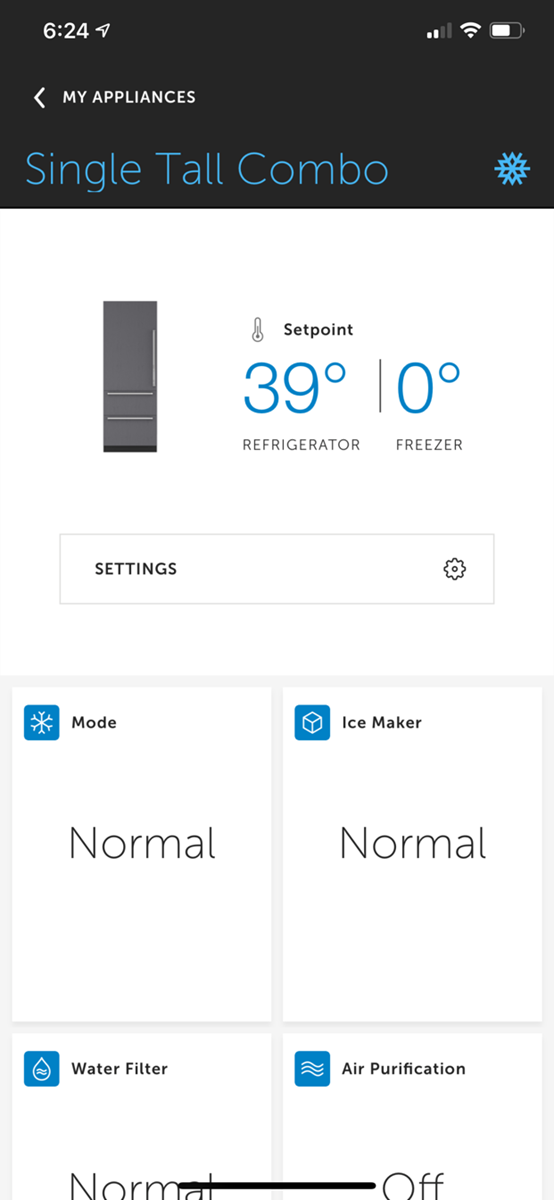
- Select Set Timezone.
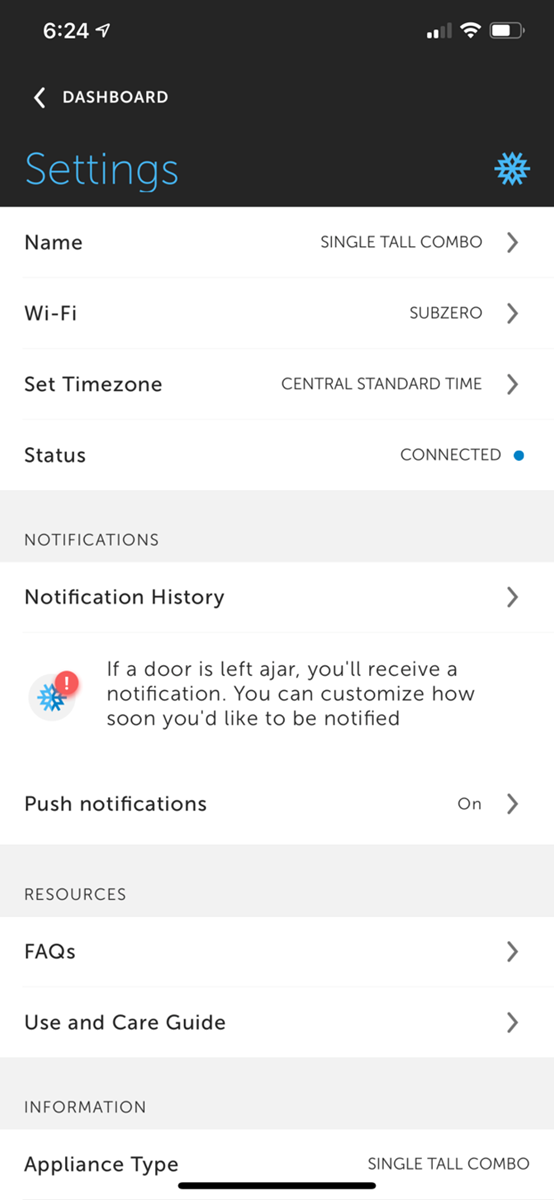
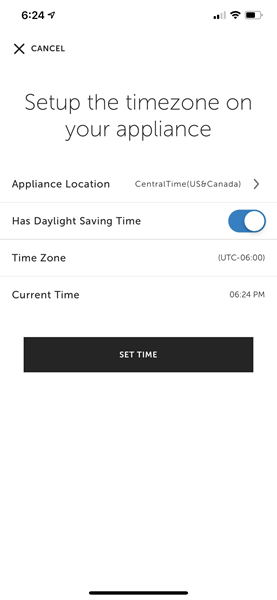
- Update the Appliance Location and has Daylight Saving Time. Note: Has Daylight Saving Time is not an indicator if daylight saving time is active, only if the time zone you have selected recognizes daylight savings time.
DID THIS ANSWER YOUR QUESTION?

We're standing by with answers
Whether you're shopping for appliances or have questions about those you already own, we've got the resources you need. Talk directly to a customer care expert at the Sub-Zero, Wolf, and Cove service center, or connect with an appliance consultant at an official showroom near you. Get quick answers online, or reach a certified service provider or installer. And much more.
Call us at (800) 222-7820