Disconnect or Remove Connected Appliances from Sub-Zero Group Owner's App
Topics:
- How to remove an appliance from the Sub-Zero Group Owner's App
- Remove an appliance from the app after selling the product or moving
- How to remove appliances that are no longer owned
Answer:
You will need to remove an appliance from the Sub-Zero Group Owner's App if you are moving, selling the product, or replacing the product.
- Make sure you remove the unit from the app before you disconnect the Wi-Fi.
To remove an appliance from the Sub-Zero Group Owner's App:
- Open the Sub-Zero Group Owner's App on the phone or tablet.
- Tap My Appliances if not selected.
- Tap the appliance from the My Appliances screen.
- Tap the settings gear in upper right.
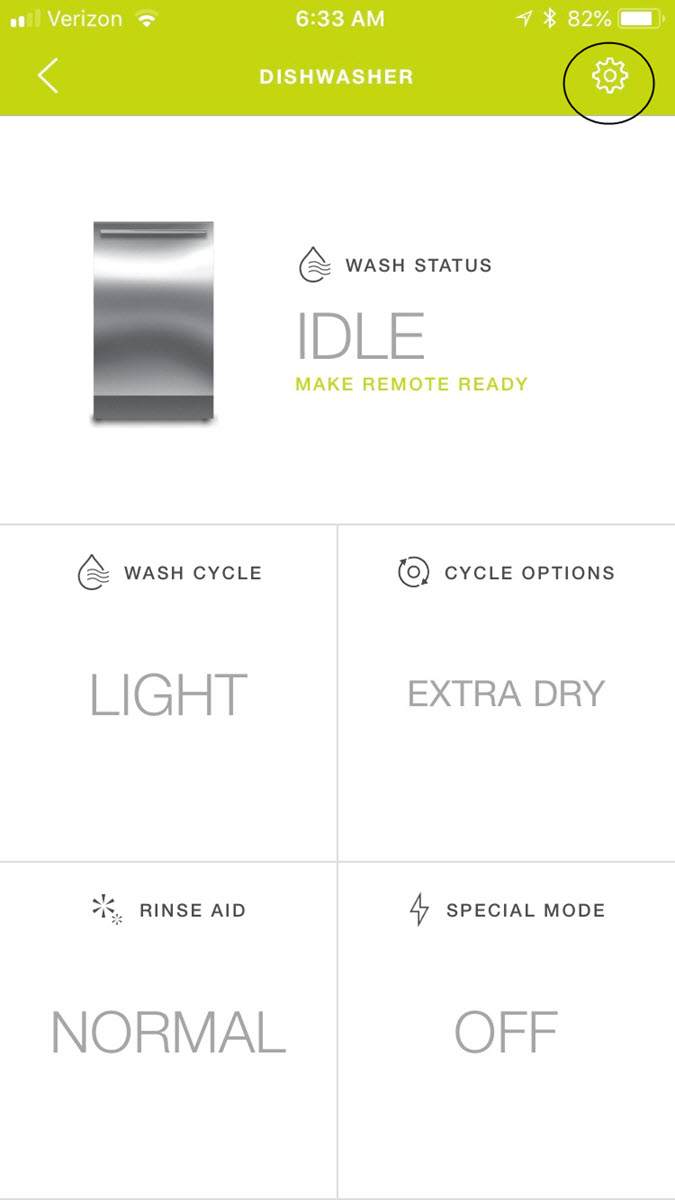
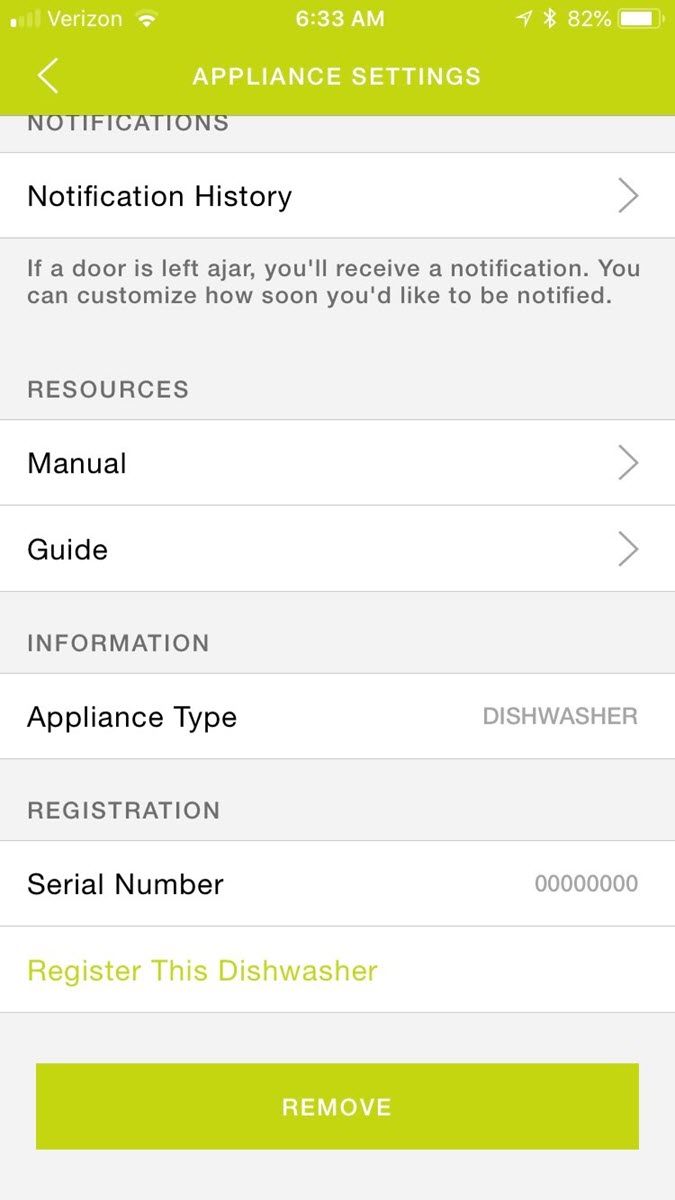
- Scroll to the bottom and tap Remove.
Refer to the Sub-Zero Group Owner's App Quick Start Guide for more information.
For further assistance, contact the Sub-Zero Customer Care Team at (800) 222-7820, Monday-Friday, 8:00 a.m. - 5:00 p.m. CST.
Related Topics
To remove connectivity from an appliance, see Remove Connectivity.
DID THIS ANSWER YOUR QUESTION?

We're standing by with answers
Whether you're shopping for appliances or have questions about those you already own, we've got the resources you need. Talk directly to a customer care expert at the Sub-Zero, Wolf, and Cove service center, or connect with an appliance consultant at an official showroom near you. Get quick answers online, or reach a certified service provider or installer. And much more.
Call us at (800) 222-7820